
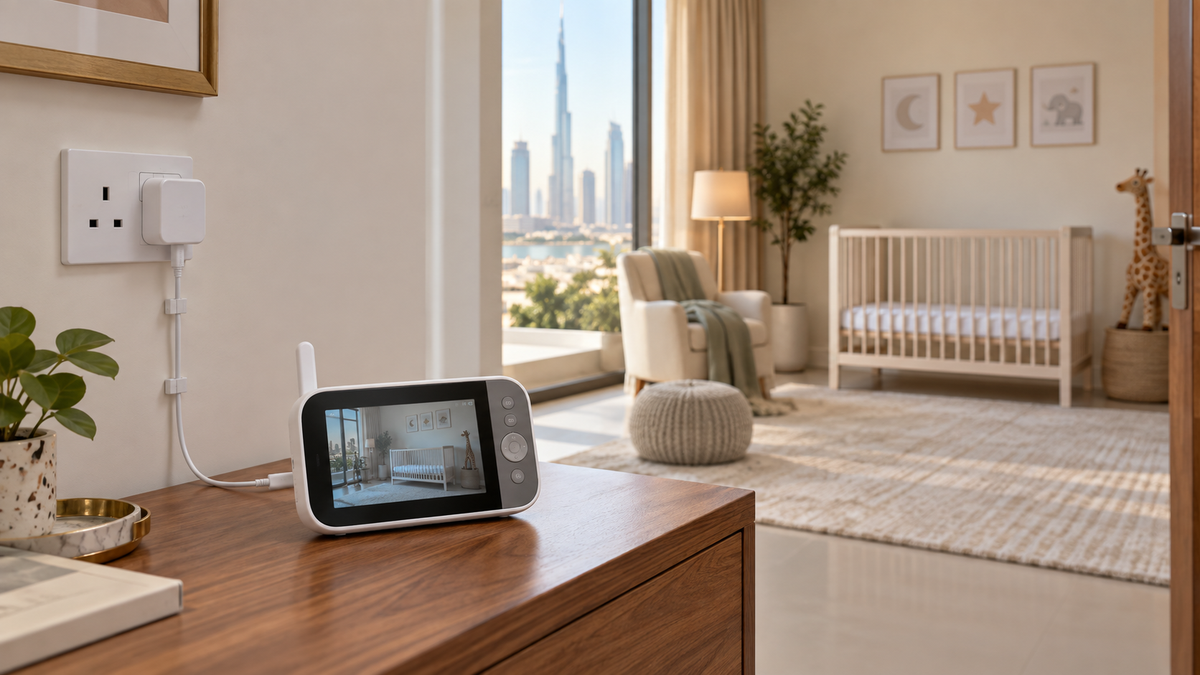
Camera power and parent-unit battery are separate
| Component | Typical power pattern | Check |
|---|---|---|
| Nursery camera | Often continuous mains power | Adapter, cable length, voltage and outage behaviour |
| Parent unit | Rechargeable battery plus charging adapter | Screen-on and audio-only runtime |
| Phone app | Phone battery plus router/internet | Background use and charging availability |
| Router/mesh | Mains power | Whether Wi-Fi monitoring stops in an outage |
Battery-runtime claims
Standby, screen-off VOX, audio-only and continuous screen-on modes can produce very different runtimes. Brightness, volume, signal strength, temperature, battery age and number of cameras also matter. Compare like-for-like test conditions.
Charging and USB power
- Use the supplied or manufacturer-approved adapter and cable with the required voltage, current and connector.
- USB-C describes a connector, not guaranteed charging compatibility or power profile.
- Check whether the unit works while charging and how long a full charge takes.
- Do not improvise battery packs, splice cables or modify the camera battery.
What happens in a power outage?
A charged parent unit can remain on while a mains-only nursery camera turns off. Wi-Fi monitoring also depends on powered networking equipment. Some products include or support backup power, but confirm the exact approved arrangement rather than assuming.
UPS and backup power
A correctly specified, safely located UPS can keep a router or approved adapter running, but it adds batteries, heat and cables. Keep it outside the child’s reach, follow ventilation instructions and never place it in or beside the sleep space.
Battery degradation and replacement
Rechargeable capacity falls with age and cycles. Check whether the battery is user-replaceable, whether an authorised replacement is available in the UAE and how the manufacturer says to recycle the old pack. Swelling, heat or damage means stop using it and seek authorised support.
UAE plug and voltage checks
- Look for a Type-G plug or a safe, approved arrangement from the manufacturer or authorised seller.
- Read the adapter input label for the exact supported voltage and frequency; do not infer compatibility from the cable.
- Imported variants may ship with different adapters, warranty and compliance documentation.
Cable safety
CPSC guidance says monitor cords should remain at least three feet from every part of a crib, bassinet, play yard or other safe sleep environment. Secure routing does not justify a closer camera.
Follow the full placement and cord-safety guide.
A practical power test
- Fully charge the parent unit and note the chosen brightness, audio and screen mode.
- Use it for a normal monitoring session and record actual runtime.
- Confirm low-battery warning behaviour and whether the unit reconnects after charging.
- Temporarily switch off internet—not household power—to identify which functions are internet-dependent.
- Keep emergency response based on direct care, not on an unverified backup assumption.
Final recommendation
Buy for the least favourable mode you will actually use: continuous screen, multiple cameras, remote app use or travel. Confirm camera power separately and install every cable safely.
Add these checks to How to Choose a Baby Monitor, compare products in Top 10 Baby Monitors in UAE and prepare for portable use with the travel guide.