
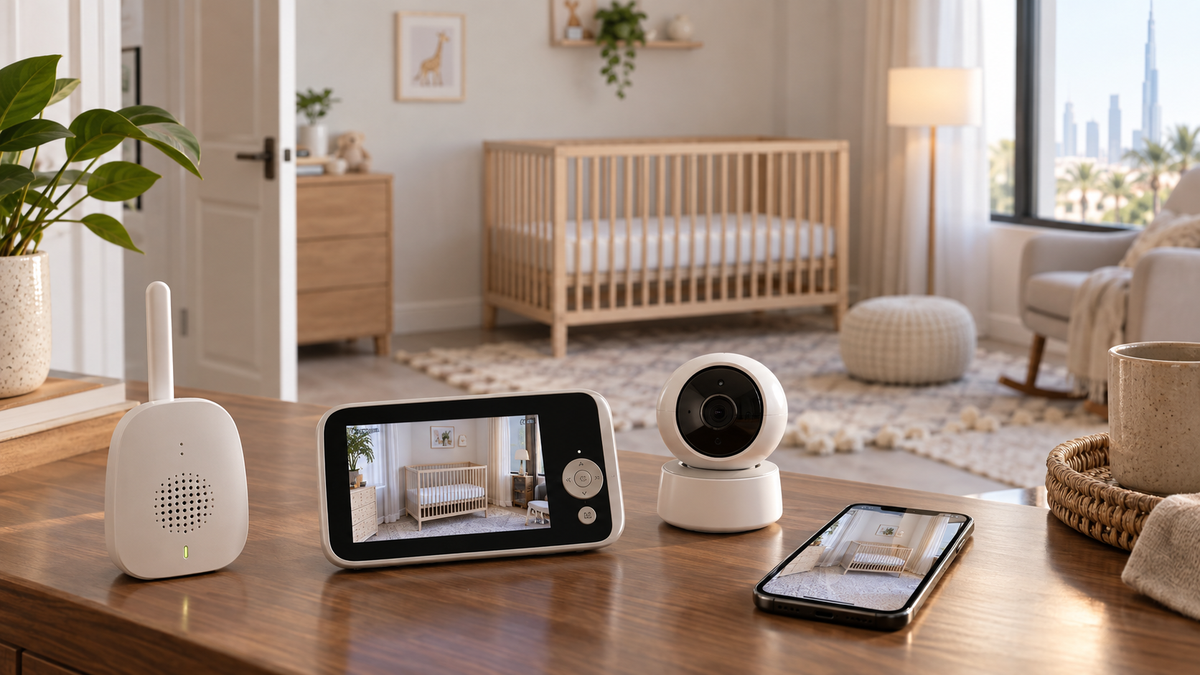
Start with the monitoring architecture
Decide between Wi-Fi, non-Wi-Fi and hybrid in our connectivity guide. Local parent units suit simple in-home viewing; apps enable remote and shared access; genuine hybrids provide both.
Video or audio?
Audio-only monitors cost less, travel easily and can run longer because there is no video display. Video helps you check position, movement in the room and whether a sound needs attention without entering immediately. Neither format replaces direct care.
Work through the complete video-versus-audio decision.
The practical feature checklist
| Factor | Question to answer |
|---|---|
| Range | Does the exact path work through your walls and floors? |
| Night vision | Is the sleeping area clear without reflections or digital smearing? |
| Audio | Can you hear relevant sounds over AC and household noise without excessive hiss? |
| Two-way talk | Is volume controllable and access restricted? |
| Temperature/humidity | Are readings clearly informational and are alert thresholds adjustable? |
| Battery | What is screen-on versus audio-only runtime, and how does it charge? |
| Screen | Is it readable at night without being disruptive? |
| Camera movement | Does fixed, pan/tilt or zoom coverage match the room? |
| Multiple cameras | Does the exact system support split-screen, scan mode or add-on cameras? |
| Storage | Is recording local, SD-card, cloud, subscription-based or absent? |
| Privacy | Are updates, MFA, encryption information and sharing controls documented? |
Read the focused guides for range, security and privacy, multi-camera systems and battery and power.
Camera placement and mounting
Choose a stable manufacturer-approved wall or furniture position with the required view. Never trade cord safety for a better angle. CPSC guidance says monitor cords should be at least three feet from every part of the sleep space, and monitor parts should remain out of reach as the child grows.
Plan the installation with the mounting and cord-safety guide.
UAE purchase checks
- Confirm a Type-G plug or an appropriate manufacturer-approved UAE power arrangement, plus 220–240V compatibility on the supplied adapter label.
- Verify the UAE seller, warranty route, returns and local access to replacement batteries, mounts and add-on cameras.
- Check whether an imported variant uses a different app, radio band, cloud region, subscription or accessory ecosystem.
- Test reinforced concrete or block-wall paths; quoted line-of-sight range is not a room-to-room guarantee.
- For travel, confirm compactness, re-pairing, guest Wi-Fi behaviour and a safe temporary mount.
Buyer profiles
- Newborn/basic monitoring: prioritise clear audio, reliable local viewing, simple controls and safe placement over extra analytics.
- Apartment: consider neighbouring Wi-Fi congestion and the route through internal walls.
- Villa: test floors and distant rooms; do not assume a large quoted range will penetrate reinforced structures.
- Remote-working parent: a dedicated screen avoids occupying a phone; hybrid adds remote access when you leave home.
- Grandparents/caregivers: simple controls or managed app invitations reduce support and account-sharing problems.
- Two children: verify exact camera compatibility, split-screen or scan mode, bandwidth and battery effect.
- Travel: favour compact local operation when hotel Wi-Fi may use captive portals.
- Privacy-focused buyer: ask about data location, retention, encryption documentation, update support and account deletion.
- Smart-feature buyer: understand subscriptions, false or missed alerts and consumer-wellness limitations.
Budget versus premium
Pay first for dependable core monitoring, safe installation and support. A higher price may add resolution, motorised movement, a larger screen, multiple cameras, remote access or analytics, but no single feature compensates for poor range or an awkward power setup.
Common buying mistakes
- Buying from the headline range or battery number without checking test conditions.
- Assuming any add-on camera works with any parent unit.
- Treating a general indoor camera as feature-equivalent to a baby monitor.
- Ignoring app-region, subscription, warranty, plug and replacement-part differences.
- Using wellness alerts as a substitute for safe sleep or direct observation.
See the feature-set comparison in Baby Monitor vs Security Camera.
Final recommendation
Write down where you will watch, who needs access, the wall/floor path, whether remote access matters and how the camera can be powered safely. Use those answers to eliminate unsuitable formats before comparing product features.
Then review the ten preserved recommendations in Top 10 Baby Monitors in UAE.