
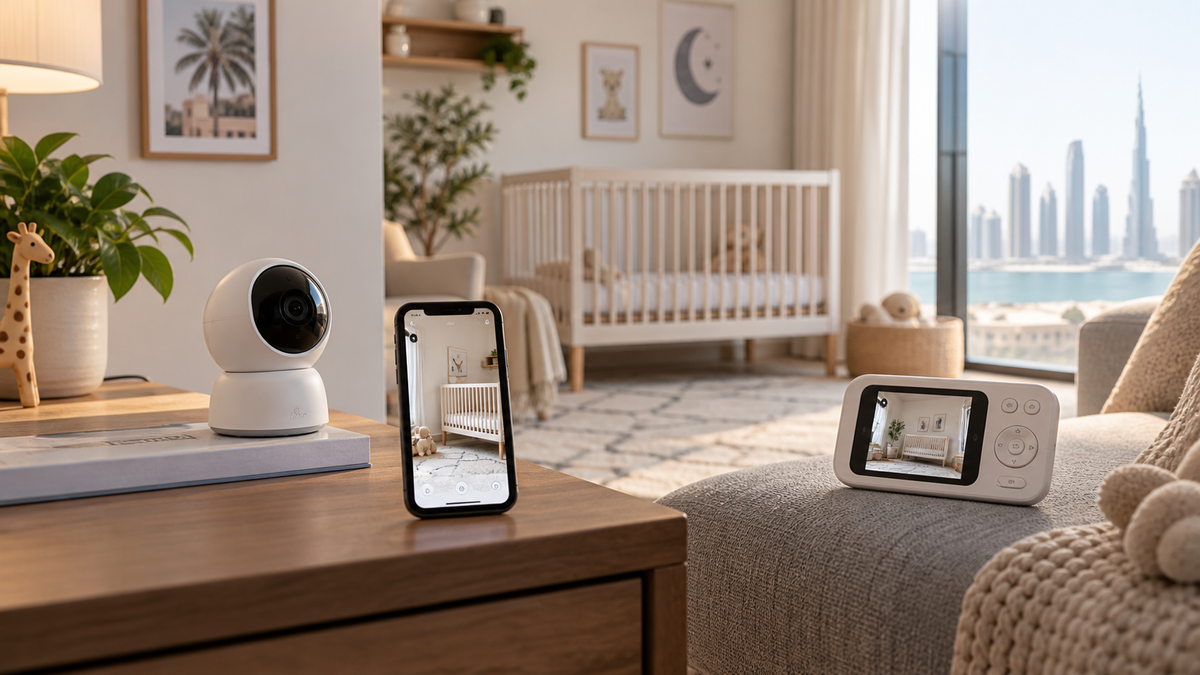
The three monitor formats
What is a Wi-Fi baby monitor?
A Wi-Fi monitor connects the camera to a home network and normally uses a phone or tablet app. Internet access enables viewing from work or another location, but the account, app, router and any cloud service become part of the system. Exact local behaviour varies by model.
What is a non-Wi-Fi baby monitor?
A non-Wi-Fi video monitor normally sends audio and video directly from its camera to a paired parent unit over a model-specific radio link. It usually does not rely on home internet for local monitoring, but it still needs power, usable radio range and a healthy parent-unit battery.
What is a hybrid baby monitor?
A genuine hybrid provides both a local parent screen and app or remote access. Confirm whether those paths work independently, whether the app is optional, and which functions stop when the internet, router or cloud service is unavailable.
| Factor | Wi-Fi | Non-Wi-Fi | Hybrid |
|---|---|---|---|
| Remote viewing | Usually available through an app | Normally unavailable | Usually available through an app |
| Dedicated parent display | Not always | Normally included | Included on genuine hybrid systems |
| App access | Core interface on many models | Usually none | Additional interface |
| Local operation | Model-specific | Direct local link | Parent-unit path plus model-specific app path |
| Account required | Commonly | Usually not for local use | Commonly for app features |
| Cloud dependency | Varies by live view, clips and alerts | Normally none | Varies by app feature |
| Internet outage | Remote access normally stops; local features vary | Local link normally unaffected | Parent screen may continue; app behaviour varies |
| Home Wi-Fi outage | Camera/app path may stop | Normally unaffected | Parent screen may continue; app path may stop |
| Power outage | Camera/router/phone charging may be affected | Camera and parent-unit charging affected | Camera/router/parent unit may be affected |
| Setup | Network, app and account | Pair or use factory pairing | Parent unit plus network/app |
| Multiple caregivers | Account sharing or managed invitations | People near the parent unit | Both methods, model-dependent |
| Travel | Guest-network setup can be difficult | Simple local use within range | Local screen is useful; app setup still varies |
| Security work | Account, app, cloud and router | Model-specific radio and physical access | Both sets of responsibilities |
| Typical use | Remote and shared access | Simple in-home monitoring | Local reliability plus remote access |
How video and audio reach the caregiver
Wi-Fi video may travel camera → router → local network or cloud service → app. A direct parent-unit system sends over its own radio link. Hybrid monitors can use two paths. Architecture matters more than the marketing label: ask the manufacturer what continues locally when its servers or your internet connection are unavailable.
For a complete feature shortlist before comparing products, use How to Choose a Baby Monitor in UAE.
Dedicated screen or phone app?
- A parent screen keeps the feed separate from calls, low-power mode, focus settings and other phone notifications.
- A phone app is convenient for remote work, grandparents and travel caregivers, but background audio and notification behaviour can change with operating-system settings.
- Check screen size, brightness, charging time, audio-only or screen-off modes, and whether the app can play background audio with the screen locked.
- For babysitters, a dedicated unit avoids sharing the family account. For grandparents, an app invitation can be useful only if permissions are easy to understand and revoke.
Outages: internet, home Wi-Fi and electricity
An internet outage is not the same as a home Wi-Fi outage. The router can keep a local network running while its internet connection is down. Some Wi-Fi monitors retain local functions; others rely on cloud authentication or routing. Check the exact manual and test deliberately.
If the router loses power, Wi-Fi paths normally stop even when the camera has backup power. A non-Wi-Fi link avoids router dependence but its camera still needs power. Parent-unit battery does not power a mains-only camera.
Use the battery and power guide to separate camera power, parent-unit runtime and router backup questions.
Storage, subscriptions and account management
- Cloud storage may add clip history, alerts or remote playback; check price, retention, export and what remains without a subscription.
- Local or SD-card storage reduces some cloud dependence but does not automatically make remote access private; confirm encryption and who can remove or read the card.
- Give each caregiver a separate invitation or guest account when available. Avoid sharing one password, remove former users and review active sessions.
- Check app availability in your phone’s regional store, regional model differences and the manufacturer’s firmware/update policy.
The full checklist is in our Wi-Fi baby-monitor security and privacy guide.
Range and UAE home layouts
Reinforced concrete or block walls can reduce radio performance. Apartments may add neighbouring Wi-Fi congestion; villas add distance and floors. For Wi-Fi models, the question is camera-to-router coverage. For non-Wi-Fi models, it is camera-to-parent-unit range. Neither quoted range is a guarantee through walls.
- Place a router centrally and openly where practical; do not hide it behind dense furniture or metal cabinets.
- Test bedrooms, work areas, kitchens, balconies and yards only where you genuinely intend to carry the parent unit or phone.
- Mesh nodes and extenders may help Wi-Fi coverage, but roaming, bands and compatibility can be model-specific.
See how walls, floors and interference change results in the baby-monitor range guide.
Important safety note
A baby monitor is a supervision aid, not a substitute for direct care or safe-sleep practices.
The American Academy of Pediatrics safe-sleep guidance(opens in a new tab) says consumer wellness monitors and home cardiorespiratory monitors should not be used as a strategy to reduce SIDS risk or as a substitute for safe-sleep recommendations. The CPSC cord-safety alert(opens in a new tab) says monitor cords should be at least three feet from every part of a crib, bassinet, play yard or other safe sleep environment, with all monitor parts out of a child’s reach.
For installation detail, follow our placement and cord-safety guide. For consumer sleep, movement or breathing-related functions, read the smart-feature limitations guide.
Feature-by-feature checks
| Feature | What to verify |
|---|---|
| Night vision | Clarity in the actual room, reflections, viewing distance and app versus screen quality |
| Two-way audio | Volume control, delay and how access is authorised |
| Temperature alerts | Sensor location, thresholds and whether readings are informational |
| Pan, tilt and zoom | Coverage limits; digital zoom does not add captured detail |
| Multi-camera | Maximum cameras, split-screen, scan mode and exact add-on compatibility |
| Battery | Screen-on runtime, audio-only runtime, charging method and replacement support |
| Alerts | Phone permissions, quiet modes, delay and whether the subscription changes them |
Explore video versus audio, night vision and dedicated monitor versus security camera without turning this format guide into a product ranking.
Which format fits common households?
- Apartment and mainly in-home use: a non-Wi-Fi parent unit can be the simpler starting point, after testing range.
- Villa or multiple floors: test the relevant radio path; hybrid does not guarantee coverage.
- Work-from-home: a dedicated screen avoids occupying the phone; a hybrid adds optional remote access.
- Office viewing: Wi-Fi is normally required, with careful account security and sharing controls.
- Babysitters: a local parent unit reduces the need to grant account access.
- Grandparents or travelling caregivers: app invitations can help, but revoke them when no longer needed.
- Hotels and rentals: a local parent unit avoids captive-portal Wi-Fi complications; always reinstall with safe cable clearance.
For travel-specific trade-offs, see the baby-monitor travel guide.
Final recommendation
Start with where you need to view the monitor. Choose non-Wi-Fi for straightforward local use and a dedicated screen; Wi-Fi for remote, multi-caregiver app access; or a verified hybrid when both paths solve real needs. Then verify outage behaviour, range, storage, subscription, updates, battery and safe installation for the exact model.
Compare the preserved product shortlist in Top 10 Baby Monitors in UAE only after choosing the right architecture.